Switching EHRs Without Losing Historical Clinical Documentation
A data migration strategy that matches clinical need to technical approach.
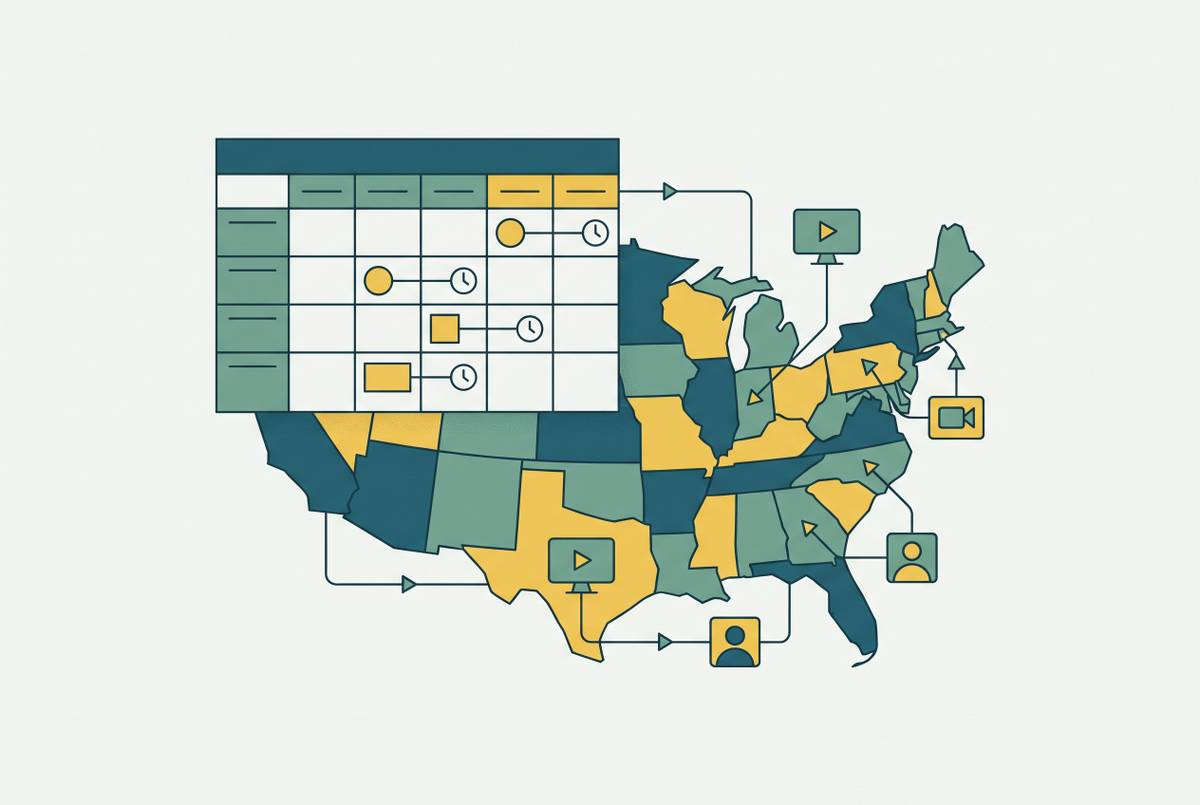
Health systems keep switching EHR platforms, and 2026 has been a record year for it. HCA Capital Division finished its final Meditech Expanse rollout on June 11, Kaleida Health in Buffalo launched a systemwide Epic platform on May 30, and Great River Health in West Burlington, Iowa is mid-swap from Cerner to Epic, with MyChart already live as of June 6. OhioHealth Morrow County Hospital went live with Epic on February 22 as part of a $6 million IT investment, and Cone Health is spending at least $40 million just to rebuild the foundation of the Epic system it already has, after years of customization left it carrying technical debt. The Department of Veterans Affairs rolled Oracle Health out to four more facilities on June 7, including Cincinnati VA Medical Center and Dayton VA Medical Center. Nicklaus Children's Health System in Miami expects to finish its Epic implementation by summer 2027.
The reasons behind these moves aren't the same from one organization to the next. Mergers force platform consolidation, vendors sunset old products, some systems are chasing better analytics or revenue cycle tools, and some are just tired of a platform that never fit the workflow. In behavioral health specifically, Black Book Research found that 40% of practices switch EHRs within their first three years, usually because of poor workflow fit or weak billing functionality.
Plenty of organizations are now on their second or third EHR, not their first. Switching has become routine. Routine doesn't mean safe, though, and the frequency of these moves has made the question of what happens to historical clinical documentation more urgent, not less.
The fragility of historical clinical documentation in EHR transitions
Losing clinical data during a migration is a care quality failure, plain and simple. It is a care quality failure, plain and simple. A clinician working post-cutover without a patient's full history, allergy list, or medication record cannot make a fully informed decision, no matter how clean the new system's interface looks.
Mapping errors are the main threat, and they rarely announce themselves. Structural differences between the source and target EHR can cause medication dosages to get misread, lab flags to get stripped from results, or allergy codes to vanish. EHR Source has documented at least one case where a conversion error doubled a patient's medication dosage during a migration, and nobody flagged it at the time. The system runs, the chart looks complete, and the error sits there until someone notices a dose that doesn't match the drug on the label.
Free-text fields make this worse. A medication typed into a free-text box in the old system may need to map to a structured code in the new one, and when that mapping is incomplete, allergy lists, medication histories, and lab-encounter links can all break silently. Nothing throws an error. The data is just wrong, or missing, and the interface gives no sign of either.
Unstructured data is its own category of trouble: scanned documents, fax records, images, handwritten notes typed in once and never touched again. None of it maps the way a structured field does, because there's no field on the other end to receive it. It gets converted through some interpretive process, archived as-is, or left behind, and someone has to decide which.
Pharmacists feel this acutely. Pharmacy Times reports that order verification depends on timely access to lab values, allergy profiles, active medications, and comorbid conditions. When interoperability between systems is incomplete, the result is incorrect drug-drug interaction alerts, missed renal dose adjustments, and duplicate therapies nobody catches. A qualitative study cited in Huang et al. (2020, PMC) found that electronic-based users perceived the EHR transition itself as a threat to patient safety, even when the receiving system had proper data security measures in place. That perception is a rational response to how these failures actually happen: quietly, structurally, and usually downstream of a decision nobody thought was clinical at the time. It's a rational response to how these failures actually happen: quietly, structurally, and usually downstream of a decision nobody thought was clinical at the time.
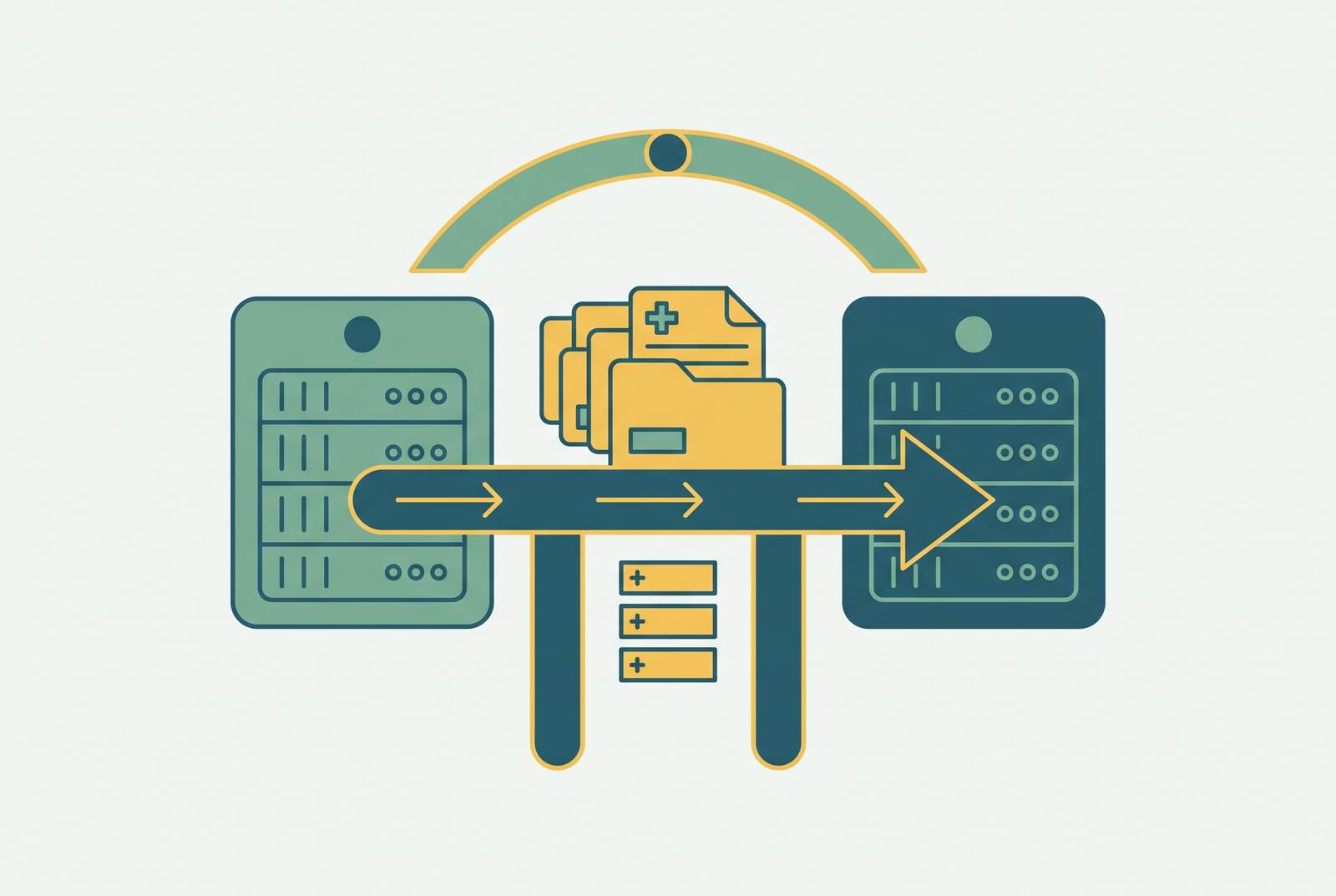
When two systems don't share real semantic interoperability, which is most of the time, some kind of data intermediary or archive becomes necessary. That's a second conversion step, and a second point where something can go wrong. Understanding the specific ways migrations fail is the only sane starting point for deciding what to do about it.
The three decisions every organization must make before migration begins: convert, archive, or re-enter
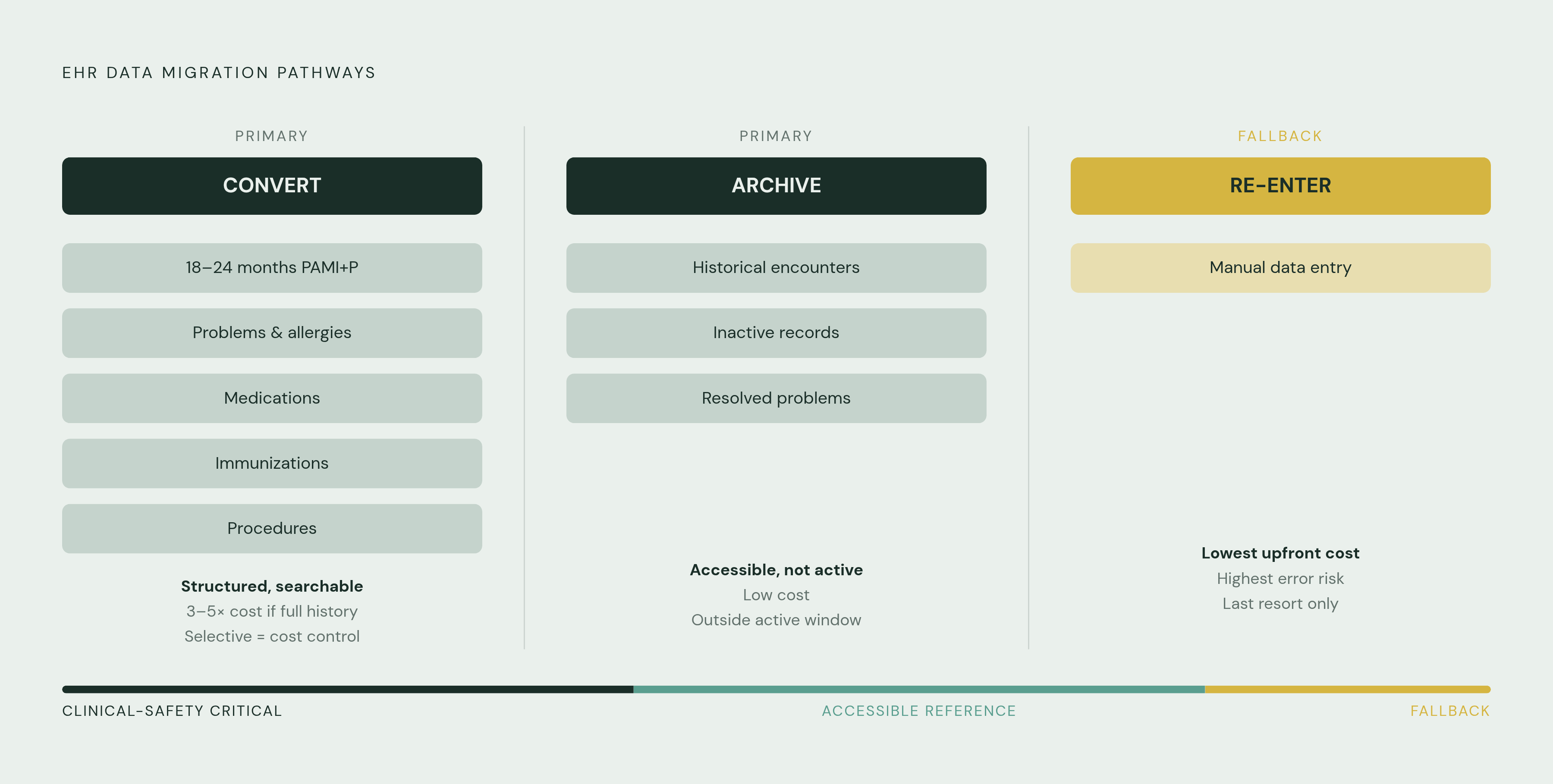
Every organization moving between EHRs faces three options for its historical data: convert it, archive it, or re-enter it by hand. These aren't exclusive choices, and most organizations end up using all three, sorted by data category. The real mistake is treating migration as one monolithic task instead of a set of separate decisions for separate kinds of data, and this is where most project plans go wrong before they even start.
Standard practice, across multiple sources, is to convert 18 to 24 months of PAMI+P data, meaning problems, allergies, medications, immunizations, and procedures, into the new EHR as structured, searchable records. That window covers what clinicians actually need day to day.
Full historical migration preserves every encounter, lab result, and document from the old system. It costs three to five times more than selective migration and takes longer to run, but it's the right call when the organization genuinely cannot predict which historical records will matter clinically down the line, which is common in specialties with long-term or chronic patient relationships. Selective migration, converting only active records within the PAMI+P window, is far more common among small and mid-size practices; anything older gets archived rather than converted, so it still exists, just not sitting in the new system's active database.
Manual re-entry costs the least upfront but is time-intensive and prone to error. Treat it as a fallback for situations where better options are unavailable. Where re-entry is the only option, focus on active patients, prioritize medications, allergies, problems, and immunizations, and scan historical encounter notes as PDFs rather than retyping them by hand.
Proven Software's behavioral health guide says to decide what gets converted, archived, or re-entered before asking any vendor for a migration quote, not after. Once a vendor's quote is in hand, the scope has effectively already been set, often by someone who never asked what the clinical team actually needed. Deciding what each data category requires is a clinical governance decision. IT can execute it, but clinical leadership has to own the call, not the other way around.
What the data audit must cover before migration work starts
A MedicalRecords.com guide recommends starting the audit at least eight weeks before the planned migration date. Eight weeks sounds generous until the scope of the audit becomes clear.
Sort the inventory into three buckets. The migration scope covers active patient demographics, current medication lists, active problem lists, allergy records, immunization history, recent encounter notes, and active referral or care plan data. Data to archive covers historical encounter notes outside the active migration window, inactive patient records, closed referrals, and resolved problem history: still accessible when someone needs it, just not sitting in the active clinical workflow. Data to purge covers duplicate records, test patients left over from implementation, incomplete encounters that never got finalized, and records tied to deactivated users. Migrating dirty data into a clean system defeats the entire point of switching.
Duplicate patients deserve attention before export, not after. Running a duplicate patient report in the current system and merging those records before migration is far less work than resolving duplicates once they've propagated into a new database with its own identifiers.
Unstructured data needs its own line in the plan, separate from structured fields. Notes, scanned documents, fax records, and images each need a decision: convert using AI or natural language processing tools, archive as PDF, or exclude. Clinical data isn't the whole audit, either. Administrative data, insurance records, billing history, scheduling history, needs its own migration plan too, because it's easy to focus entirely on charts and forget the revenue cycle data sitting right next to them.
Contract review belongs in this phase as well. MD Synergy's guidance notes that EHR vendor contracts can include per-chart or per-patient extraction charges, export fees, and format limitations that become apparent only after the migration is already underway. Ask the incumbent vendor directly: are there fees tied to data export, what file formats will the clinical data use, do the exports include structured notes and medication lists, and how long will the vendor retain records after the contract ends. ONC certification answers none of these questions. A certified vendor can still run an expensive, poorly documented export process, so migration policy has to be evaluated on its own terms, apart from certification status.
Data formats the migration must support under the 2026 regulatory baseline
FHIR R4 bulk export is the preferred method where both source and target systems support it, producing output organized by resource type that is machine-readable and consistently structured in a way older formats simply aren't.
C-CDA, the Consolidated Clinical Document Architecture, is interoperable but limited in scope. Huang et al. (2020, PMC) describe at least one institution using it as a migration path, but it covers a narrow dataset and isn't a complete answer for full historical migration on its own.
CSV flat files are the simplest format available, useful for demographic data, appointment history, and billing records. They lack the clinical structure C-CDA carries, and using them for clinical data means manual field mapping, which reintroduces the same error risk the audit was supposed to reduce.
A lot of the current wave of migrations is really a move from legacy HL7-based systems toward FHIR-based platforms. Converting older message formats into modern, structured data models is genuinely hard, especially where years of historical records need to survive the conversion intact.
The regulatory floor is moving under all of this too. USCDI v3 became mandatory on January 1, 2026, and FHIR API requirements take effect January 1, 2027. Both shape what formats a migration plan has to support, and a plan built without them in mind will need rework almost immediately.
CapMinds' 2026 guidance frames the goal as more than moving data from one system to another: cleaning it, normalizing it against modern terminologies like FHIR and HL7 standards, and raising its quality enough to support AI-based clinical decision support down the line. That's a higher bar than simply getting the chart to open in the new system. AI and NLP tools are increasingly doing the work of converting unstructured legacy data, old notes, scanned records, into searchable, structured fields as part of that same process.
Realistic timelines and costs, and why most migrations run over
Timelines vary a lot by organization size, and none of the ranges are short. Small specialty clinics can expect roughly four to six weeks. EaseHealth puts a small therapy practice's full timeline, including data migration, training, and the productivity dip that follows, at 12 to 16 weeks. Large hospital systems migrating several million records across multiple platforms run four to nine months.
Costs scale the same way. EaseHealth estimates $5,000 to $25,000 in direct and indirect expenses for a small therapy practice, with full automated migration alone running $2,000 to $10,000 or more depending on data volume.
None of this tends to go as planned, and the industry-wide numbers back that up: Gartner has found that 83% of data migration projects, across industries generally, fail or exceed their budget and schedule. Healthcare carries the same project risk as any other industry's data migration, plus patient safety stakes stacked on top of it. Productivity in the weeks right after cutover typically drops between 10% and 40%, and that disruption can be significant and sustained well beyond the immediate go-live period.
It doesn't have to go that way. One Cerner-to-Epic migration for a large integrated delivery network finished in five months instead of the nine originally projected, a 40% improvement, by planning the sequence methodically and keeping disruption to care delivery to a minimum throughout.
One cost line that catches organizations off guard: keeping access to the old, legacy EHR after cutover isn't free. A blog post from Cerecore describes one customer's licensing fees for legacy access running above $100,000 per month, though the exact figure will vary by organization size and system complexity. Organizations that come in on budget tend to be the ones that separate migration cost, legacy archive access cost, and interface cost into three distinct line items from the start, rather than lumping everything under one vague "migration" number nobody can actually track against.
The archiving decision: when a legacy data archive is the right answer, and what it involves
An EHR is built for active clinical workflows: order entry, documentation, billing, all in real time. A clinical data archive does something different, built for long-term storage and read-only retrieval, and using one removes the cost and risk of keeping a live legacy EHR running just to preserve access to old records.
The retention math makes this unavoidable. Depending on the state, medical record retention requirements run anywhere from 10 to 50 years. An archive is a multi-decade commitment baked into the regulatory floor, not a nice-to-have or a short-term bridge. The regulatory floor imposes a multi-decade commitment, regardless of whether an organization plans for it.
Two improvised alternatives tend to appear when organizations haven't planned ahead, and both carry real problems. Keeping the legacy EHR live means paying for ongoing licensing, server maintenance, workstations, and user support indefinitely, potentially north of $100,000 a month in licensing alone for a large system, as the Cerecore example above shows. Exporting everything to PDF handles legal retention on paper, but creates a different operational mess: finding one patient's record among thousands of PDF files is slow, and the structured search capability a real archive offers just isn't there.
Organizations that have moved from maintaining a live legacy system to a dedicated legacy data archive commonly report a financial benefit from the switch. A structured archive, in most cases, is meaningfully cheaper than paying to keep the old system alive indefinitely.
Vendors that build specifically for this include Hart's HealthArc, MediQuant's DataArk, VisualVault's Legacy Data Archive, MDemr Archive, and Keystone Technologies' Legacy Data Archival Management service, which runs on Amazon S3. The archiving decision belongs in the pre-migration data audit. Organizations that put it off tend to discover the real cost only after they've already committed to a migration path that assumed the old system would simply disappear.
Validating that migrated data is clinically accurate, not just technically present
Counting records after a migration proves almost nothing. A migration that successfully moves every single record, while quietly corrupting medication dosages or dropping allergy flags along the way, will pass a technical audit and still fail the clinical one that actually matters. Proven Software's August 2026 behavioral health guide makes the same point directly: validate clinical meaning and workflow behavior, not record counts.
EHR Source lays out concrete benchmarks a migration should be held to. Duplicate patient records should sit below 3%. Demographic field completeness should be above 95%. Medication and allergy accuracy needs to hit 100%, full stop, given what's at stake clinically if it doesn't. Lab results coded to a standardized clinical terminology should be above 90%, and problem lists need to run on standardized ICD coding rather than the free text left over from the old system.
None of these numbers are arbitrary. Each maps to a specific failure mode described earlier: the duplicate rate catches unresolved merge issues from the audit phase, the medication and allergy figures catch the exact mapping errors that produce wrong dosages and dropped alerts, and the coding benchmarks catch the free-text problem that breaks structured search downstream. Validation is the mechanism that catches the quiet failures the rest of the migration was built to prevent, not a final checkbox before go-live.
Sources
- What to Know About EHR Data Migration When Switching Systems
- Transitions from One Electronic Health Record to Another: Challenges, Pitfalls, and Recommendations
- Hospitals and health systems moving to new EHR platforms
- EHR Data Migration Guide: Planning, Costs & Avoiding Common Pitfalls
- Switching EHR Systems: Behavioral Health Guide
- Switching EHR Systems: A Therapist's Guide to Seamless Migration (2026) | Ease Health
- ehrsource.com
- EHR Data Migration for Clinics in 2026 – Full Guide